How to use the color picker
- Upload a photo, drop it on the box or paste it from your clipboard.
- Tap the exact spot you want; the picker averages a few pixels to avoid noise.
- Copy the hex or RGB code, open the color page for matching colors, or the paint page to see it on a wall.
For a color scheme from a picture, use the main colors list: it groups similar pixels, so you get a balanced palette of the colors that cover the most area.
More free color tools
FAQ
How do I find the color of something in a picture?
Upload or drop the photo above, then tap the spot you want. The picker shows its hex and RGB code, the closest color name and the nearest paint color. It also lists the six dominant colors of the whole image.
Is my photo uploaded anywhere?
No. The image is read and analyzed in your browser only. Nothing is sent to a server, so it works with private photos too.
Why does the color look different from the real object?
Cameras and screens shift colors with lighting, white balance and compression. For walls and fabrics, photograph in daylight without filters, and confirm paint colors with a physical sample.
Can I pick colors with my phone camera live?
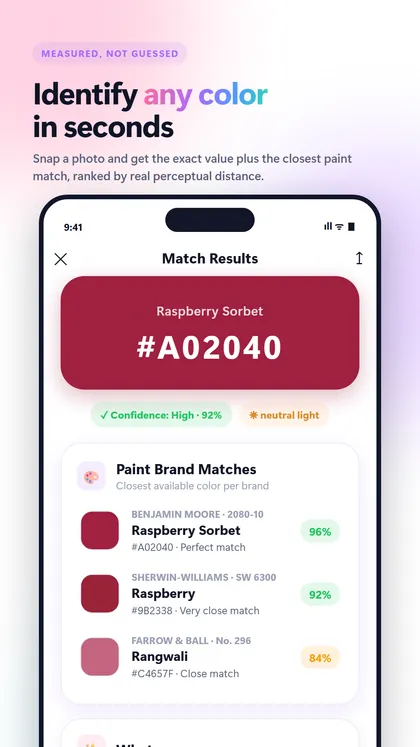
The ColorScan app does that: point the camera at anything and read the color under the crosshair in real time, with matches from Benjamin Moore, Sherwin-Williams, Behr and Farrow & Ball.
Recommended app · ColorScan
Pick colors live with your camera
ColorScan tells you the exact color of a wall, a sweater or a lipstick, its name and the closest paint colors from Benjamin Moore, Sherwin-Williams, Behr and Farrow & Ball.
- Identify any color from a photo or the live camera
- Closest matches from Benjamin Moore, Sherwin-Williams, Behr and Farrow & Ball
- HEX, RGB, HSL, CMYK and LAB in one tap
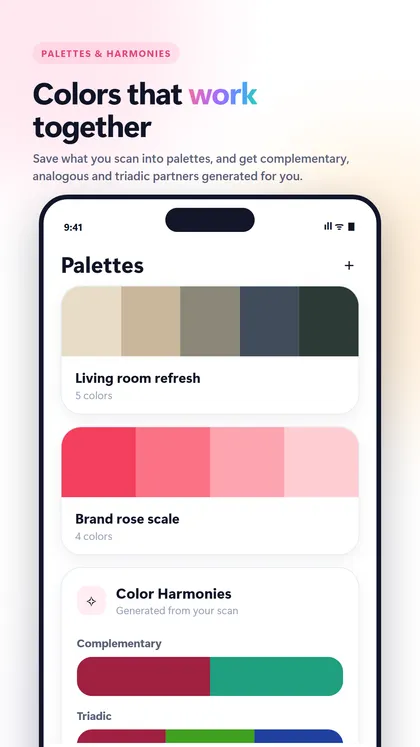
- Color harmonies and palettes from any shot